Web Font Inspector in your browser
See every font a page uses and how it loads, then generate a fallback that stops the layout jumping. Free, private and local.
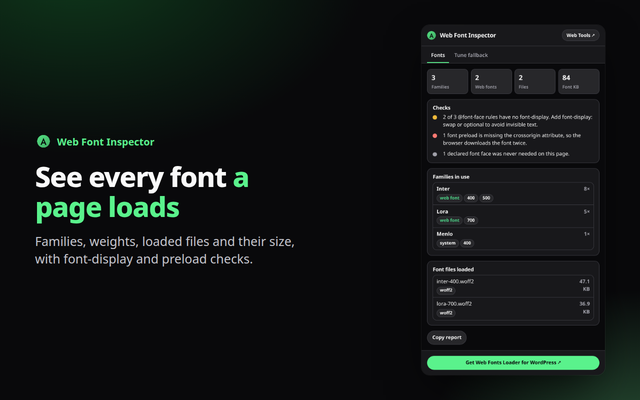
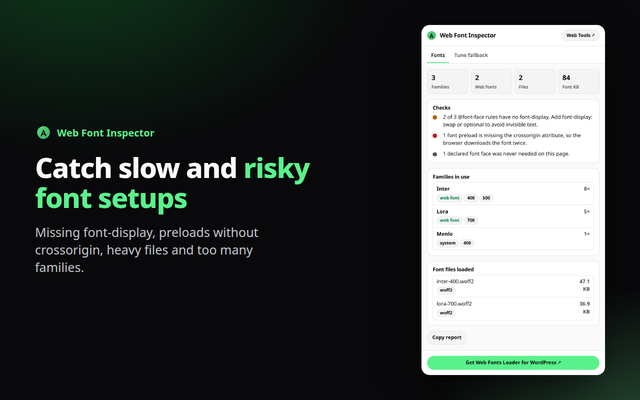
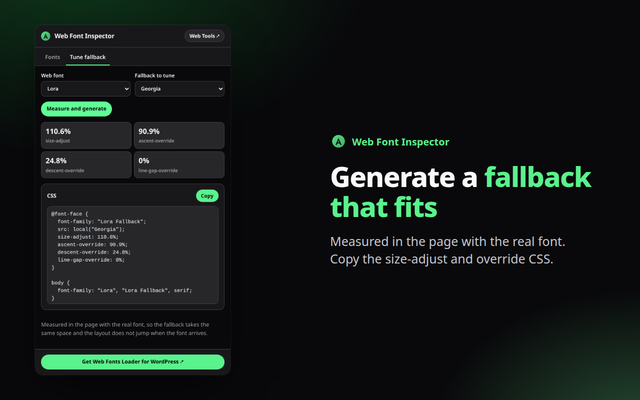
Quick answer: Web Font Inspector is a free browser extension for Chrome, Edge and Opera (Chromium browsers). It lists the families, weights and loaded files on any page, checks font-display and preloads, and generates a size-adjusted fallback @font-face. Everything runs in your browser.
What it does
- Fonts at a glance: families in use with weights and styles, whether each is a web font, and every font file that loaded with its size.
- Loading checks: missing font-display, Google Fonts links without display=swap, preloads without crossorigin, TTF or OTF files, heavy totals and too many families.
- Tune a fallback: measure a web font against a system fallback in the page and copy size-adjust, ascent, descent and line-gap overrides to cut layout shift.
How to install
- Download the zip above and unzip it to a folder you will keep.
- Open
chrome://extensions(oredge://extensions,opera://extensions) and switch on Developer mode. - Click Load unpacked and choose the unzipped folder, then pin the extension from the puzzle-piece menu.
Firefox only keeps unsigned add-ons until it restarts (about:debugging, Load Temporary Add-on), so a Firefox build will come from the add-ons store once published.
Private by design
The extension runs entirely in your browser. It reads a page only when you open it, sends nothing anywhere, and needs no account. See the Developry privacy policy.
Prefer the web version?
The same kind of tools work in any browser tab: try the free fallback font matcher on this site, or get the Web Fonts Loader plugin for WordPress.
Frequently asked questions
Is the extension free?
Yes. It is free, with no account and no ads.
Why is font-display sometimes unknown?
Browsers do not let extensions read cross-origin stylesheets such as Google Fonts CSS. The loaded files are still listed, but their font-display cannot be seen.
Does it change the page?
No. It only reads fonts and measures text on a hidden canvas when you click Measure.
Which permissions does it need?
activeTab and scripting, to read the current page when you open the popup.
Which browsers are supported?
Chrome, Edge, Opera and other Chromium browsers, installed from the downloaded zip. Firefox will follow through the add-ons store.
Is there a WordPress plugin?
Yes. Web Fonts Loader by Developry. The plugin page is on developry.com.